Updated July 6, 2026
How to Connect TicWatch E3 to Your iPhone.
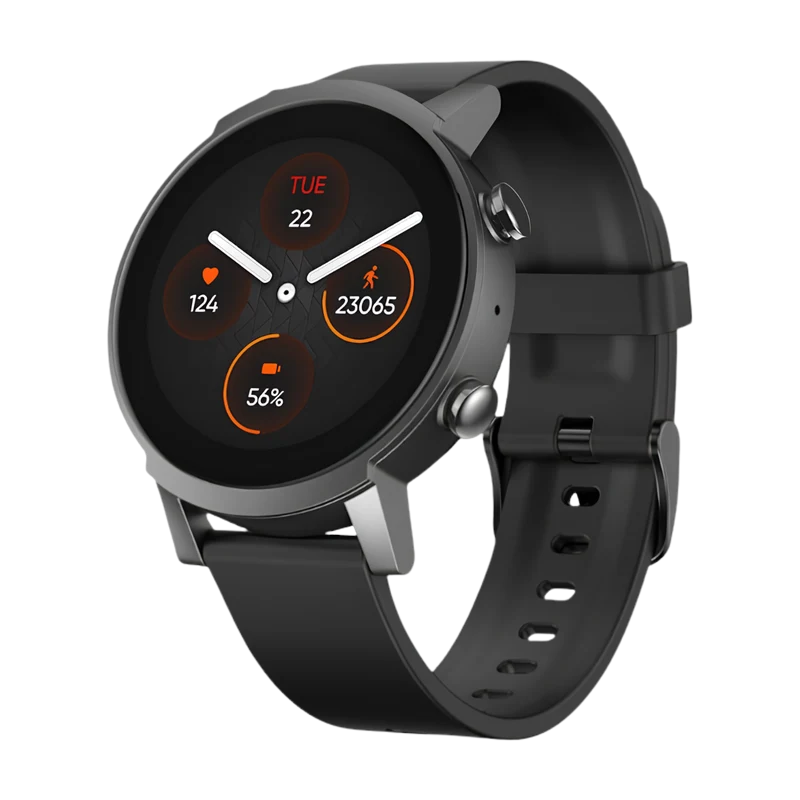
Yes — the TicWatch E3 works with iPhone. Pair it with the Lynio app and you get calls, notifications, contacts and health sync in about 3 minutes.
The TicWatch E3 is Mobvoi's accessible entry into Wear OS — Snapdragon Wear 4100 inside a lightweight 44mm case, with GPS, heart rate, SpO2, and two days of battery covering everyday health tracking without the premium price tag.
LYNIO
Wear OS ✓
Google's watch platform

Bluetooth ✓
Wireless pairing
Google Play Store ✓
Install Lynio Watch
Connect in 3 Steps
Install Lynio Watch on your TicWatch E3
Open the Google Play Store on your TicWatch E3, search "Lynio Watch" and tap Install. Your watch's Bluetooth will handle the rest.
Follow the in-app pairing guide
Open Lynio on your iPhone. It walks you through pairing step by step — takes about 2 minutes.
What You Get After Pairing
Calls on your wrist
iPhone notifications
Caller ID & contacts
Health → Apple Health
Music control
Auto reconnect