Updated July 6, 2026
How to Connect Galaxy Watch 7 to Your iPhone.
Yes — the Galaxy Watch 7 works with iPhone. Pair it with the Lynio app and you get calls, notifications, contacts and health sync in about 3 minutes.
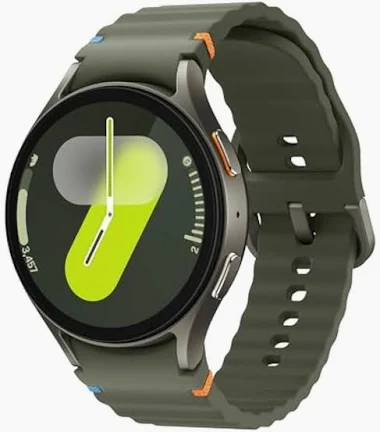
The 2024 Galaxy Watch 7 debuted Samsung's 3nm Exynos W1000 — a huge speed jump — plus dual-frequency GPS and an upgraded BioActive health sensor in 40mm and 44mm sizes.
LYNIO
Wear OS ✓
Google's watch platform

Bluetooth ✓
Wireless pairing
Google Play Store ✓
Install Lynio Watch
About the Galaxy Watch 7
The Galaxy Watch 7 (2024) was a bigger upgrade than it looked: Samsung's first 3nm chip, the Exynos W1000, dramatically sped up app launches over the previous W930, while dual-frequency GPS and an upgraded BioActive sensor sharpened tracking accuracy. It comes in 40mm (300mAh) and 44mm (425mAh) sizes.
There's no official iPhone route — Samsung pairs the Watch 7 only with Android phones through Galaxy Wearable. Lynio replaces that dependency: install Lynio Watch from the on-watch Play Store, pair with the Lynio iPhone app over Bluetooth, and calls, notifications, contacts and Apple Health sync all run through your iPhone. Brief Android access may be needed at first setup.
As an Optimized model, the Watch 7's experience with Lynio is fully tested — including caller ID from your iPhone contacts and health metrics flowing into Apple Health.
Connect in 3 Steps
Install Lynio Watch on your Galaxy Watch 7
Open the Google Play Store on your Galaxy Watch 7, search "Lynio Watch" and tap Install. Your watch's Bluetooth will handle the rest.
Follow the in-app pairing guide
Open Lynio on your iPhone. It walks you through pairing step by step — takes about 2 minutes.
What You Get After Pairing
Calls on your wrist
iPhone notifications
Caller ID & contacts
Health → Apple Health
Music control
Auto reconnect